
Stock control with store context.
Track the products you count, understand adjustments and keep location-level inventory connected to your sales.
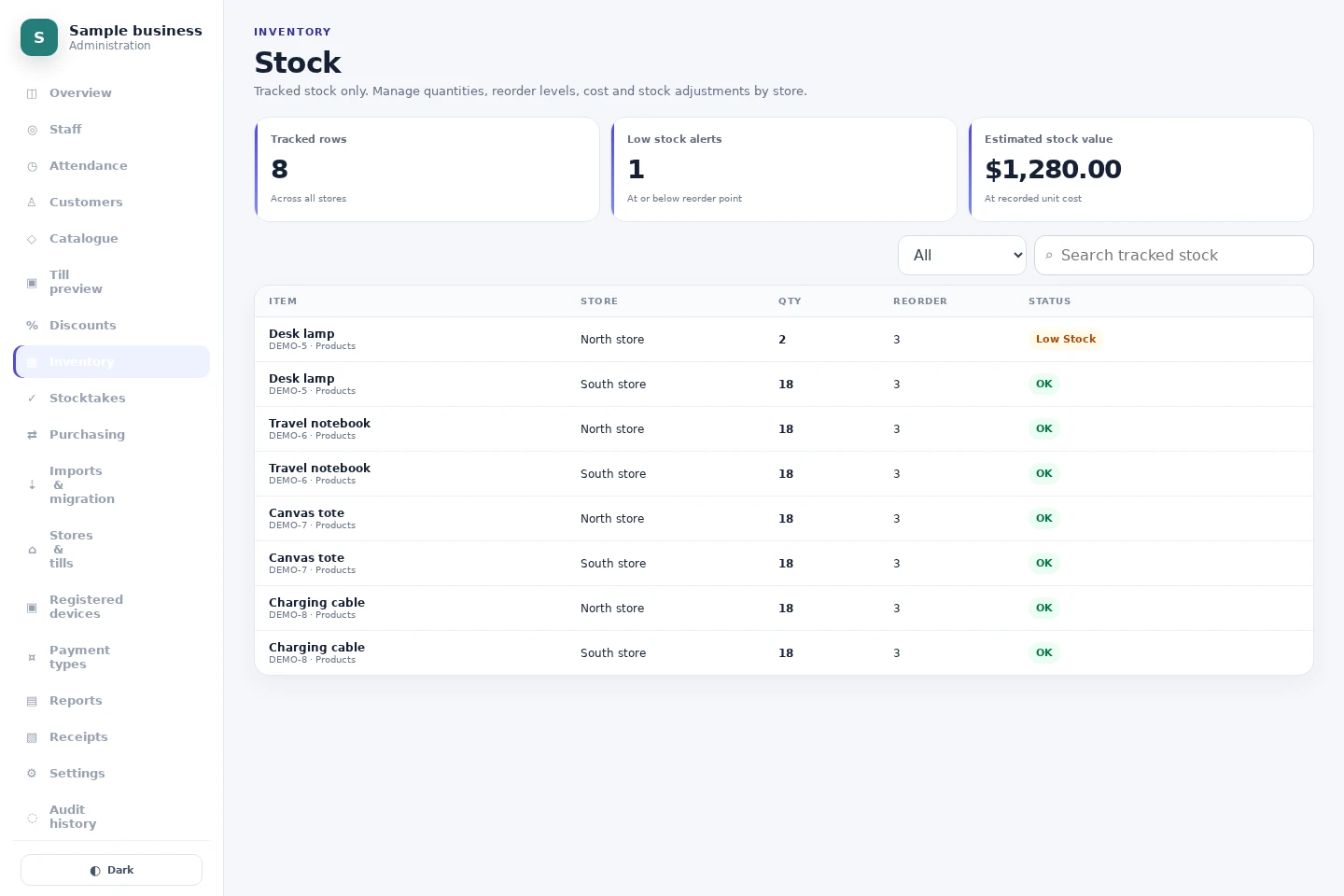
Track the right items
Stock tracking is configured per product. Keep services and uncounted items outside your physical inventory, and review product tax and availability separately.
A location-level view
Review quantities by store and set reorder thresholds. Store-specific pricing sits alongside the shared product catalogue, so a price change does not require another product record.
Changes with a history
Completed sales, supported returns and authorised adjustments feed stock movement records. Use movement history to investigate differences before making a correction. Check what your import actually transfers before relying on an opening count.
Keep exploring.
Retail
Connect retail checkout, product catalogues, store-specific prices and inventory with NOX POS. Explore a browser-based till and multi-location reporting.
Explore retailMulti-store
Manage store-specific prices, staff access, tills and reporting across locations with NOX POS. Clear monthly pricing per active store.
Explore multi-storeReplacing your POS
Plan a safe POS migration: export and preview catalogue data, review prices and tax, preserve historical records and check what each import supports.
Explore replacing your posA clearer view starts
at your counter.
Try the sample till or talk to us about your stores.